
Multi-Display Gas-Spring Monitor Arms: Buying Guide
Choose the right dual, triple or ultrawide monitor-arm configuration for trading desks, security rooms, command centres and other screen-intensive workstations.
Start with the screens—not the number of arms
A multi-display mount should be selected against the exact monitor models, desired layout and desk construction. A gas-spring mechanism can make repositioning smoother, but correct capacity, spring tension and installation are essential for stable screens.
Relevant RIFE gas-spring monitor arms
These three products cover common high-density workstation requirements. Load ratings and screen sizes are model-specific, so use the product page and RIFE's final quotation to confirm compatibility.

RIFE 2MSGB Dual Gas-Spring Monitor Arm
A clamp-mounted dual-screen option for common 22–27-inch displays with VESA 75 × 75 mm or 100 × 100 mm compatibility.
View 2MSGB Dual Arm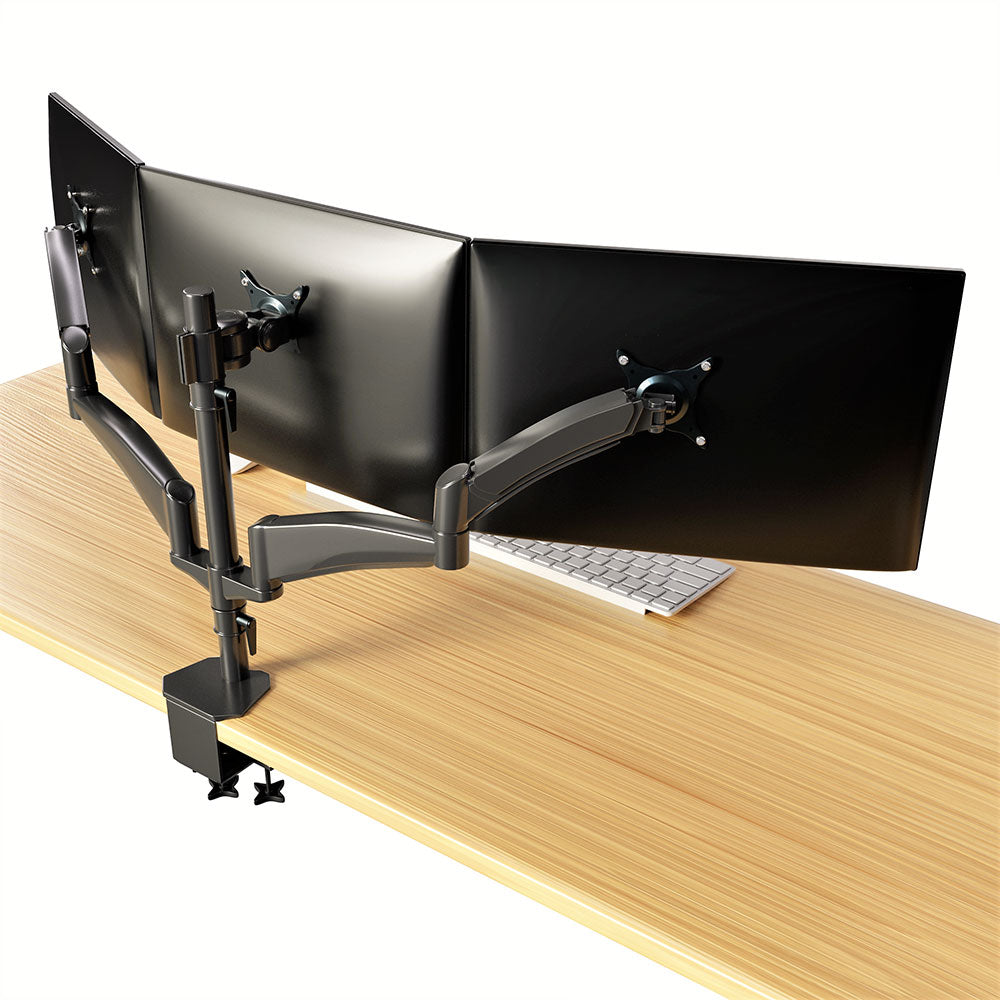
RIFE 3MSG Triple Gas-Spring Monitor Arm
Designed for three displays up to the stated model limit, with independent positioning for trading, monitoring and information-dense tasks.
View 3MSG Triple Arm
RIFE PMS-PRM57-D Dual Ultrawide Arm
A heavier-duty pneumatic configuration intended for large ultrawide screens and stacked layouts, subject to exact screen weight and geometry.
View Ultrawide Dual ArmThere is no universal 9–15 kg capacity
RIFE monitor arms have different per-screen limits. For example, standard dual and triple models are not interchangeable with the heavy-duty ultrawide system. Provide the monitor make, model, screen weight, VESA pattern and desired arrangement so RIFE can confirm the correct mount.
Plan the viewing layout
Define the primary screen
Keep the most frequently viewed display directly in front of the operator where possible.
Choose the arrangement
Compare side-by-side, curved, stacked and mixed-orientation layouts.
Check movement
Allow enough articulation for adjustment without screens, walls or neighbouring desks colliding.
Manage cables
Leave suitable cable length and strain relief through the full movement range.
Procurement checklist
Display inventory
Record model, size, weight without stand, VESA pattern, curvature and cable locations for every screen.
Desk construction
Confirm desktop material, thickness, reinforcement, edge shape and access below the mounting point.
Screen arrangement
Provide a sketch showing horizontal, vertical or stacked placement and the desired sight lines.
Adjustment frequency
Decide whether screens will be repositioned often or set once for a dedicated operator.
Cabling & power
Plan video, power and network cable routes with sufficient slack and separation from moving joints.
Installation plan
Define assembly responsibility, torque checks, spring adjustment, user handover and periodic inspection.
Compare the main configuration choices
| Decision | Best suited to | What to verify |
|---|---|---|
| Dual gas-spring arm | Standard two-screen office, operations and analytical workstations. | Per-arm load, display width, desk clamp clearance and alignment range. |
| Triple gas-spring arm | Trading, security and monitoring roles that need three active views. | Total desk load, outer-screen reach, base stability and cable routing. |
| Dual ultrawide / stacked arm | Large curved displays or high-resolution stacked arrangements. | Exact weight, curvature, vertical clearance, centre of gravity and mount capacity. |
| Clamp mount | Strong desktops with a clear rear edge and accessible underside. | Thickness range, edge profile and whether added reinforcement is required. |
| Grommet mount | Desks with a suitable cable hole or an approved drilled fixing point. | Hole diameter, underside access and facilities approval. |
| Freestanding multi-monitor stand | Desks that cannot be clamped or drilled. | Base footprint, stability, total weight and usable desk depth. |
For 24/7 control rooms and trading floors
High-utilisation environments need more than a compatible VESA plate. Include operational and maintenance requirements in the workstation design.
- Keep screens serviceable without dismantling neighbouring positions.
- Check that movements do not obstruct shared sight lines or emergency egress.
- Use consistent monitor models where alignment and colour matching matter.
- Provide a planned method for cable replacement and equipment refresh.
- Inspect fasteners, desk attachment points and spring balance periodically.
Frequently asked questions
What VESA pattern and load capacity should I choose for a multi-screen trading desk?
Start with the exact monitor specifications. Many RIFE models use VESA 75 × 75 mm or 100 × 100 mm, but weight capacity varies by model and must be checked per screen. Do not select an arm using screen size alone.
Can one monitor-arm model support standard screens and heavy ultrawide displays?
Not necessarily. Large or curved ultrawide monitors create higher loads and different centres of gravity. Use a model specifically rated for the screen's weight, VESA pattern and geometry.
Should I use a clamp or grommet mount?
A clamp is convenient when the desktop has a strong, accessible rear edge. A grommet mount can provide a fixed through-desk attachment where the desk design and facilities policy permit it. In both cases, verify thickness and material strength.
Do gas-spring arms prevent neck strain?
They can make it easier to position screens at a more suitable height and angle, but comfort also depends on chair setup, viewing distance, task design and user habits. They are one part of an ergonomic workstation.
Can RIFE help specify a complete control-room arrangement?
For bulk requirements, share monitor schedules, desk drawings, operator tasks and preferred layouts. RIFE can then recommend suitable dual, triple, ultrawide or fixed multi-display configurations.
Specify your multi-display workstation
Send the monitor models, screen weights, VESA patterns, desk dimensions and preferred arrangement so RIFE can recommend compatible mounting hardware.
Request Monitor-Arm Pricing