
Point-of-Care Doctor Workstation Carts: Buying Guide
Choose a mobile clinical workstation for bedside charting, imaging review, physician rounds and diagnostic discussion in wards, ERs and ICUs.
Bring the workstation to the care team
A point-of-care cart keeps approved computing, displays and peripherals near the patient. The right cart must balance screen position, clinician reach, stability, mobility, cable control and cleaning—not simply fit the largest possible monitor.
Travel safely through real routes and thresholds.
Set the screen and inputs for the user and bedside.
Review records, reports or images near care.
Apply the approved protocol and secure the cart.
Recommended RIFE cart families
The HSM-7 is the direct point-of-care fit. HSC-03G is relevant when a defined dual-monitor telemedicine or review setup is required.
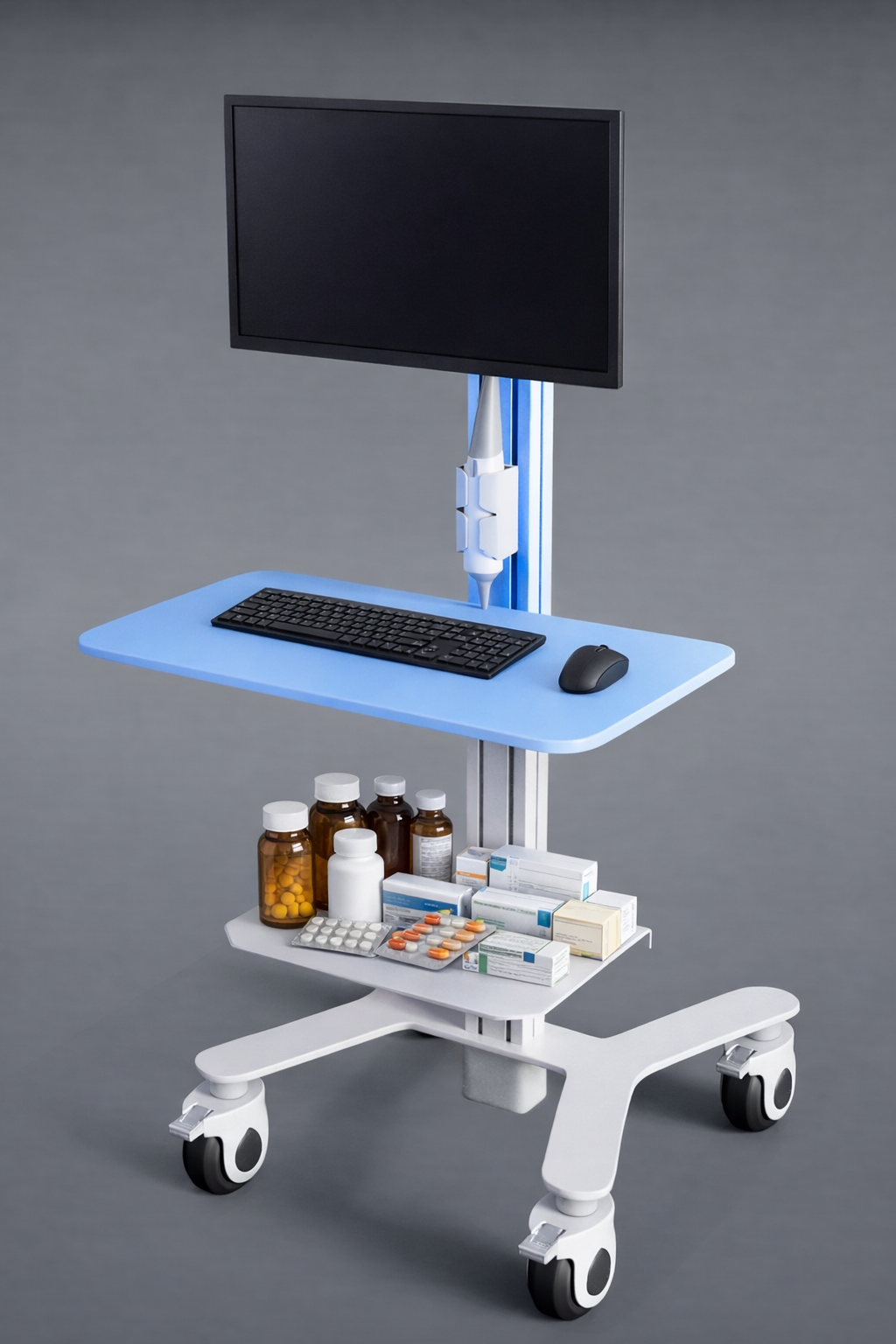
HSM-7 Point-of-Care Medical Cart
Designed for doctors and clinical teams needing records, applications and selected peripherals near the patient. It offers height-adjustable, VESA-mounted and low-profile configurations, with optional scanner or dual-display integration.
View HSM-7
HSC-03G Dual-Monitor Medical Cart
A more defined two-display option with VESA-compatible mounts for two 15–23 inch screens, foot-pedal height adjustment, lockable medical castors and optional battery/UPS.
View HSC-03GDo not specify the base or display arm in isolation
There is no universal “optimal” 18-inch base. Confirm doorway and lift clearance, turning space, bedside approach, flooring, thresholds, total equipment weight, centre of gravity, monitor size, VESA pattern and arm load. PACS review may require healthcare IT-approved displays and calibration beyond the cart itself.
Configuration criteria
Clinical workflow
Ward rounds, ER review, ICU charting, teleconsultation or diagnostic discussion.
Display setup
Single or dual screen, size, weight, VESA pattern, tilt, swivel and viewing distance.
Mobility
Doorways, lift, bed clearance, turning radius, floor transitions and castor locks.
Ergonomics
User-height range, sit/stand needs, keyboard and mouse reach and screen position.
Power & devices
Computer, scanner, camera, battery runtime, charging, cables and service access.
Cleaning
Confirm every surface and accessory against the hospital’s exact disinfectant list.
Match the cart to the task
| Requirement | Likely starting point | Verify before ordering |
|---|---|---|
| Compact bedside charting and physician rounds | HSM-7 point-of-care configuration | Worksurface, monitor, peripherals, base and cleaning protocol |
| Two-screen review or telemedicine | HSC-03G dual-monitor configuration | Combined screen load, 15–23 inch fit, stability and power option |
| Single larger display with storage | Configured HSM/HSC medical cart | Arm rating, VESA pattern, centre of gravity and drawer layout |
Hospital evaluation checklist
- List the exact monitor, computer and peripherals with dimensions and weights.
- Measure the narrowest doorway, lift, bedside gap and storage location.
- Trial the cart with short and tall clinicians in the intended workflow.
- Check stability with the screen fully positioned and accessories loaded.
- Test braking, manoeuvring, cable retention and threshold crossing.
- Approve materials and seams against infection-control cleaning procedures.
- Confirm battery runtime and recharge workflow if an onboard power option is used.
Frequently asked questions
What base footprint and articulation range suit a crowded ER?
The answer depends on the route, equipment and bedside approach. Measure the site, then test a configured cart for clearance, turning, stability, clinician reach and viewing position.
Can a POC cart carry two PACS displays?
HSM-7 can be configured with optional dual displays, while HSC-03G supports two VESA-compatible 15–23 inch monitors. Confirm combined weight, arm capacity, stability and clinical display requirements.
Are the surfaces antimicrobial and disinfectant resistant?
Material and coating options vary. Obtain written compatibility with the hospital’s named disinfectants, concentrations, contact times and cleaning frequency before approval.
Should the cart include onboard battery power?
Choose battery power when unplugged runtime is needed. Size it from the complete device load and expected shift workflow, then confirm charging, replacement and safety provisions.
Can scanners, cameras or storage be added?
Yes, compatible accessories and layouts can be configured. Provide device models, weights, mounting needs and the intended clinical workflow to RIFE.
Request a hospital evaluation configuration
Send RIFE your equipment list, monitor specifications, room measurements, cleaning protocol, power needs and preferred accessories.
Contact Healthcare Sales