
10-Bay Compact Device Charging Lockers (RL10): Buying Guide
A practical guide to individual device bays, combination-lock access, AC and USB charging, placement and small-team deployment.
Secure charging for smaller device groups
RIFE RL10 stores and charges up to ten laptops, Chromebooks, iPads or tablets in separate user-accessible bays. It suits smaller classrooms, staff areas, libraries and office departments that do not need a 24- or 30-device cabinet.
Separate access for each stored device.
Combination lock on every compartment.
One plug socket and two USB ports.
Master key for authorised access.
Verified RIFE charging-locker options
Choose RL10 for ten devices. If expected demand is higher, compare RL24 before finalising the room and electrical layout.

RIFE RL10 — 10-Bay Locker
The direct fit for small teams: ten self-service bays with user-set combination locks, master-key recovery, AC and USB charging, ventilation and surge protection.
View RL10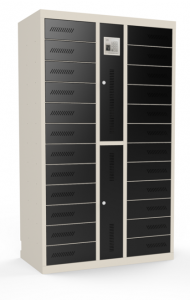
RIFE RL24 — 24-Bay Alternative
A larger version of the same self-service charging-locker concept for campuses, libraries and workplaces with more users or future growth.
View RL24RL10 is not listed as a touchscreen RFID locker
The standard RL10 uses four-digit mechanical combination locks with master-key recovery. Its listed charging is an AC socket plus two USB ports per bay. If the project needs PIN, RFID, QR, software logs or USB-C Power Delivery, request a configurable smart charging locker and confirm power output, credentials and management software separately.
Pre-order checks
Device fit
Measure the largest device with its case, cable bend and power adaptor.
Charging method
Confirm AC adaptor or USB requirements; do not assume standard USB ports provide USB-C laptop power.
Access workflow
Decide who sets codes, controls the master key and records authorised recovery.
Placement
Check footprint, ventilation clearance, user reach, door swing and servicing space.
Electrical supply
Review circuit capacity, earthing, surge protection and concurrent charging load.
Growth
Compare ten active users with peak demand and planned device expansion.
RL10 or a smart locker?
| Requirement | Recommended direction |
|---|---|
| Ten users need simple self-service storage and charging | Standard RL10 |
| More than ten users or expected growth | RL24 or another higher-capacity model |
| RFID/PIN/QR access, audit records or managed allocation | Configurable smart charging locker |
| USB-C laptop charging | Specify device wattage and request USB-C Power Delivery configuration |
| Wall installation | Request a site-engineered wall-mount solution; do not assume standard RL10 mounting |
Installation and handover checklist
- Test the largest laptop or tablet, protective case, adaptor and cable in a bay.
- Confirm the power connection and maximum simultaneous load with a qualified electrician.
- Keep ventilation openings clear and document cleaning instructions.
- Assign custody of the master key and create a forgotten-code procedure.
- Place the locker so doors open safely without obstructing circulation.
- Train users to remove devices, cables and adaptors without strain.
Frequently asked questions
Can the standard RL10 be wall-mounted?
The current product page does not confirm built-in wall-mount brackets. Treat wall mounting as a custom, site-engineered requirement subject to cabinet structure, wall construction, fixings, load and access review.
Does RL10 support RFID or touchscreen PIN access?
The standard RL10 uses a four-digit combination lock on each bay plus a master key. Smart electronic access requires a different configured locker solution.
What charging is available in each bay?
The listed configuration includes one power socket and two USB ports. Confirm socket format, USB output and device compatibility before ordering.
Which devices fit?
RL10 is intended for common laptops, Chromebooks, netbooks, iPads and tablets. Verify the exact compartment against the largest device, case and adaptor.
When should we choose RL24?
Choose RL24 when peak demand exceeds ten devices or when adding a second RL10 would be less practical than one higher-capacity cabinet.
Confirm the right RL10 configuration
Send RIFE the device models, dimensions, chargers, quantity, installation location and access requirements for a checked proposal.
Get Product Quote