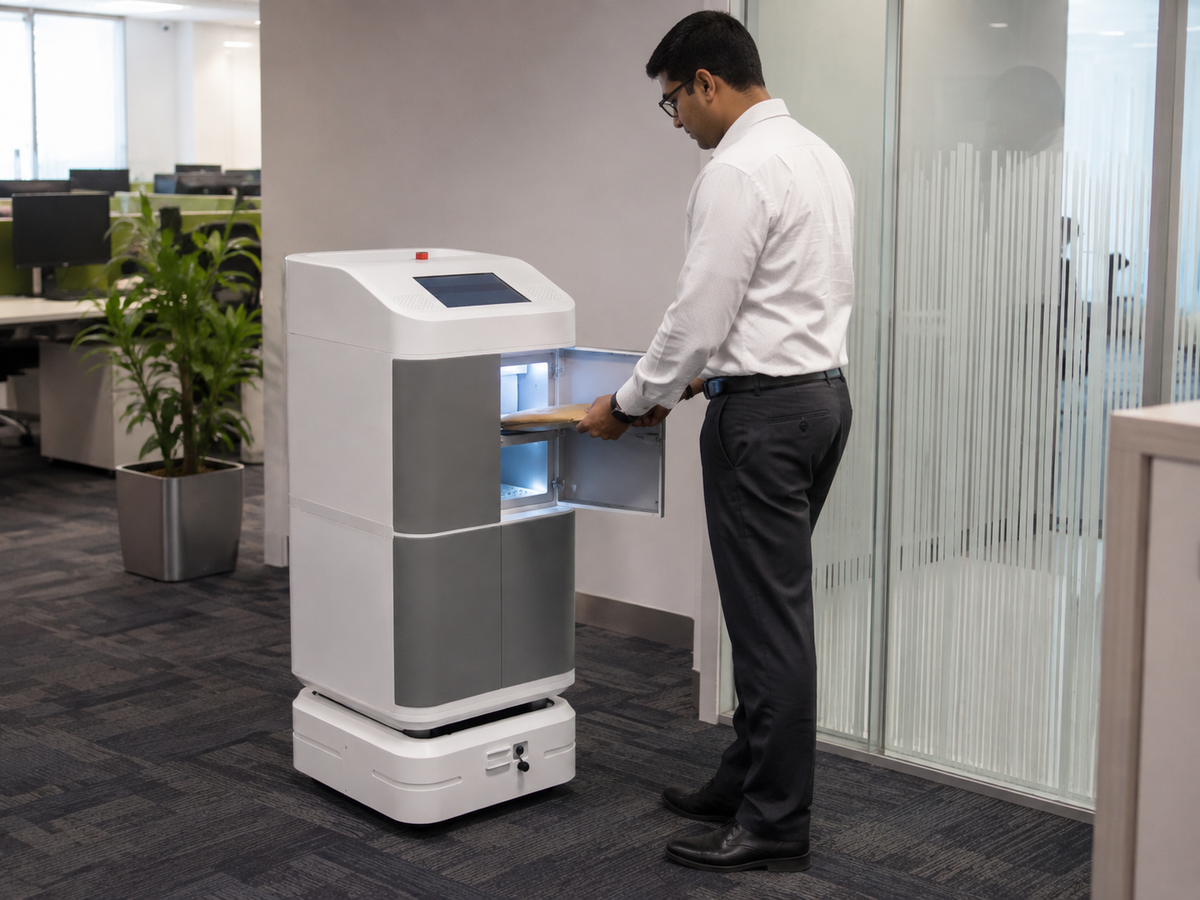
Equipment Management Lockers for Shared Workplace Devices | RIFE
How Smart Equipment Management Lockers Improve Workplace Accountability
Modern organisations depend on shared equipment to keep their operations running.
Warehouses use barcode scanners and handheld terminals. Hospitals use tablets, communication devices and portable medical equipment. Factories depend on tools and test instruments. Offices provide laptops and mobile devices to employees.
The equipment may be different, but the management problems are often similar:
- Employees waste time searching for available equipment.
- Devices are returned without being charged.
- Items are misplaced between departments.
- Equipment is returned damaged without being reported.
- Managers cannot identify who last used an item.
- Manual registers are incomplete or difficult to read.
- Equipment remains overdue without timely follow-up.
- Administrators spend excessive time issuing and collecting devices.
A smart equipment management locker creates a controlled process for storing, issuing, returning, charging and monitoring shared workplace equipment.
What is an equipment management locker?

An equipment management locker combines secure physical storage with user authentication and management software.
Instead of asking an employee to sign a paper register, the system can record the transaction digitally.
Depending on the selected configuration, it may record:
- User identity
- Equipment requested
- Locker or compartment accessed
- Issue date and time
- Expected return time
- Actual return time
- Equipment condition
- Reported fault or damage
- Current availability
- Transaction history
The system can also include charging so that electronic devices remain ready for the next authorised user.
What equipment can be managed?
An equipment management locker can be configured around different item sizes and operating requirements.
Typical equipment includes:
- Laptops
- Tablets
- Barcode scanners
- PDAs and handheld terminals
- Radios
- Mobile phones
- Body-worn cameras
- Tools
- Test instruments
- Medical devices
- Keys
- Portable printers
- Custom operational equipment
The compartment layout should be designed around the actual equipment dimensions, charging adaptors and user workflow.
How the issue-and-return process works
1. The user authenticates
The employee identifies themselves using an approved access method.
Options may include:
- PIN
- RFID employee card
- QR code
- Barcode credential
- Fingerprint
- facial recognition
- Existing access-control credential
2. The system verifies permission
Not every employee needs access to every item.
Permissions can be configured according to:
- Employee
- Department
- Job role
- Shift
- Equipment category
- Location
- Training or certification status
3. The authorised compartment opens
The system releases only the permitted locker or compartment.
This reduces unnecessary access to unrelated equipment.
4. The equipment issue is recorded
The transaction can include:
- User name
- Equipment name
- Quantity
- Issue time
- Expected return
- Department
- Purpose
- Work-order number
- Machine or project reference
5. The employee returns the equipment
During return, the user may be asked to confirm:
- Quantity returned
- Equipment condition
- Whether the item is working correctly
- Whether anything is missing
- Whether damage occurred
- Whether inspection or repair is required
6. The dashboard updates
The equipment status can change to:
- Available
- Issued
- Overdue
- Returned
- Under inspection
- Faulty
- Under repair
- Missing
- Retired
This gives administrators a clearer picture than a manual register.
Why charging matters
Many shared devices are useless if they are not charged.
This includes:
- Laptops
- Tablets
- Scanners
- Radios
- Mobile phones
- Body cameras
- Portable diagnostic devices
Charging can be integrated using:
- AC sockets
- USB-A
- USB-C
- Device-specific charging arrangements
The system can therefore help ensure that equipment is not only physically present but also ready for use.
Reducing time lost at the beginning of shifts
In warehouses, factories, hotels and security operations, many employees may collect devices at the same time.
A manual issue counter can create:
- Queues
- Delayed shift starts
- Missing paperwork
- Incorrect allocation
- Time spent locating usable devices
A self-service equipment locker allows authorised employees to collect assigned equipment without waiting for a permanently staffed counter.
This can improve shift-start productivity and reduce administrative workload.
Creating employee accountability
When employees know that each transaction is recorded, they are more likely to:
- Return equipment on time
- Report damage
- Use equipment responsibly
- Keep accessories together
- Avoid transferring equipment informally
- Return devices to the correct location
The purpose is not simply surveillance. It is to establish a clear and fair record of responsibility.
Fault and damage reporting
A device may be returned physically but still be unsuitable for the next user.
Examples include:
- Scanner not switching on
- Laptop charger missing
- Radio battery damaged
- Tool component broken
- Screen cracked
- Medical device requiring inspection
The return workflow should allow the employee to report the fault immediately.
The system can then change the status to:
Under Inspection
or:
Faulty — Do Not Issue
This prevents damaged equipment from being unknowingly issued again.
Overdue alerts
Different equipment may require different return rules.
Examples:
- Scanner due at the end of a shift
- Laptop due after one day
- Project tool issued for one week
- Radio returned after an event
- Medical device returned after a procedure
The system can generate:
- User reminder
- Supervisor escalation
- Administrator alert
- Daily overdue report
- High-value equipment notification
Management reports
A useful equipment management dashboard should show:
- Total equipment
- Available equipment
- Equipment currently issued
- Overdue items
- Faulty equipment
- Equipment under repair
- Most frequently used items
- Rarely used items
- Department-wise usage
- User transaction history
- Replacement value of missing equipment
- Locker occupancy
- Charging status where available
These reports help management understand both operational availability and asset utilisation.
Industries that can use equipment management lockers
Warehousing and logistics
Manage scanners, PDAs, radios, mobile printers and shared handheld devices.
Manufacturing and engineering
Control tools, test instruments, measuring equipment and maintenance devices.
Hospitals and healthcare
Manage tablets, communication devices, portable equipment and selected clinical assets.
Schools and universities
Issue laptops, tablets and shared technology to students and staff.
Corporate offices
Manage temporary laptops, mobile devices and project equipment.
Data centres
Control tools, test equipment, radios, access devices and technical assets.
Security operations
Manage radios, body cameras, phones and controlled operational equipment.
Hotels and facilities management
Issue radios, tablets, maintenance tools and housekeeping devices.
Application-based, barcode or RFID tracking
RIFE can configure different levels of equipment identification.
Application-based tracking
The user selects the equipment and quantity through the application.
Suitable for:
- Lower-cost deployments
- General equipment
- Controlled environments
- Quantity-based issue
Barcode or QR tracking
The user scans the equipment during issue and return.
Suitable for:
- Serialised equipment
- Tools
- Test instruments
- Laptops
- Medium- and high-value assets
RFID tracking
RFID identifies compatible tagged equipment automatically.
Suitable for:
- High-value equipment
- Large device fleets
- Fast issue-and-return environments
- Applications requiring item-level automation
Conclusion
An equipment management locker should do more than keep devices behind a locked door.
It should help organisations answer:
- What equipment is available?
- Who is using it?
- When was it issued?
- When should it be returned?
- Is it charged?
- Is it damaged?
- Where is it stored?
- What is its usage history?
RIFE Equipment Management Solutions combine configurable lockers, user authentication, issue-and-return workflows, optional charging and centralised reporting.
Manage shared workplace equipment with greater control
Share your equipment type, quantity, dimensions, charging requirements and current issue process with RIFE Technologies.