Laptop Storage Rack for Multiple Laptops: Horizontal vs Vertical Guide
Laptop Storage Rack for Multiple Laptops: Horizontal vs Vertical Guide
Practical rack shelves, laptop organisation, secure storage and choosing the right multi-device STL cabinet.

A laptop storage rack for multiple laptops needs more than enough empty slots. The direction of the devices, clearance for chargers, protection against scratches, user access and movement between rooms all matter. This guide compares horizontal shelf storage with vertical-slot organisation for offices, IT rooms, schools and home setups.
Horizontal vs vertical laptop storage rack: what changes?
| Consideration | Horizontal laptop rack shelves | Vertical laptop slots |
|---|---|---|
| Layout | Laptops rest flat on shelves | Laptops stand in individual upright bays |
| Access | Easy to see each shelf; stacking should be avoided | Individual slots can make device selection orderly |
| Space | Shelf depth and spacing matter | Slot width, height and device stability matter |
| Protection | Use separated shelves or dividers | Use suitable padded/divided bays and secure support |
| Charging | Requires planned cabling and electrical provision | Requires planned adapter routing and ventilation |
| Good fit | Mixed accessories and devices needing flat support | Multiple similar-sized devices requiring clear separation |
The better option depends on your device mix, storage frequency and workflow—not simply on a claim that one orientation is always safer. Never overload a rack, compress laptops together or block device ventilation.
How to organise multiple laptops safely
Start by counting the laptops and measuring the largest one, including its case. Provide an individual supported position for every device rather than building an unstable stack. Identify who needs access, whether the rack will move, and how each laptop is checked in or out.
- Separate devices to reduce scratching and accidental drops.
- Allow space for chargers, power bricks and safe cable routing.
- Keep vents unobstructed and follow each device maker's storage/charging instructions.
- Use a lockable solution where shared devices need controlled access.
- Choose castors and brakes only when the cabinet is designed for mobile use.

When a laptop rack shelf makes sense
A horizontal laptop rack shelf can suit small-scale device storage or a cabinet that needs a mix of laptops and accessories. Avoid simply piling laptops on top of one another. If laptops are frequently issued to employees or students, dedicated positions or individual compartments generally make retrieval and visual counting easier.
When vertical laptop storage works better
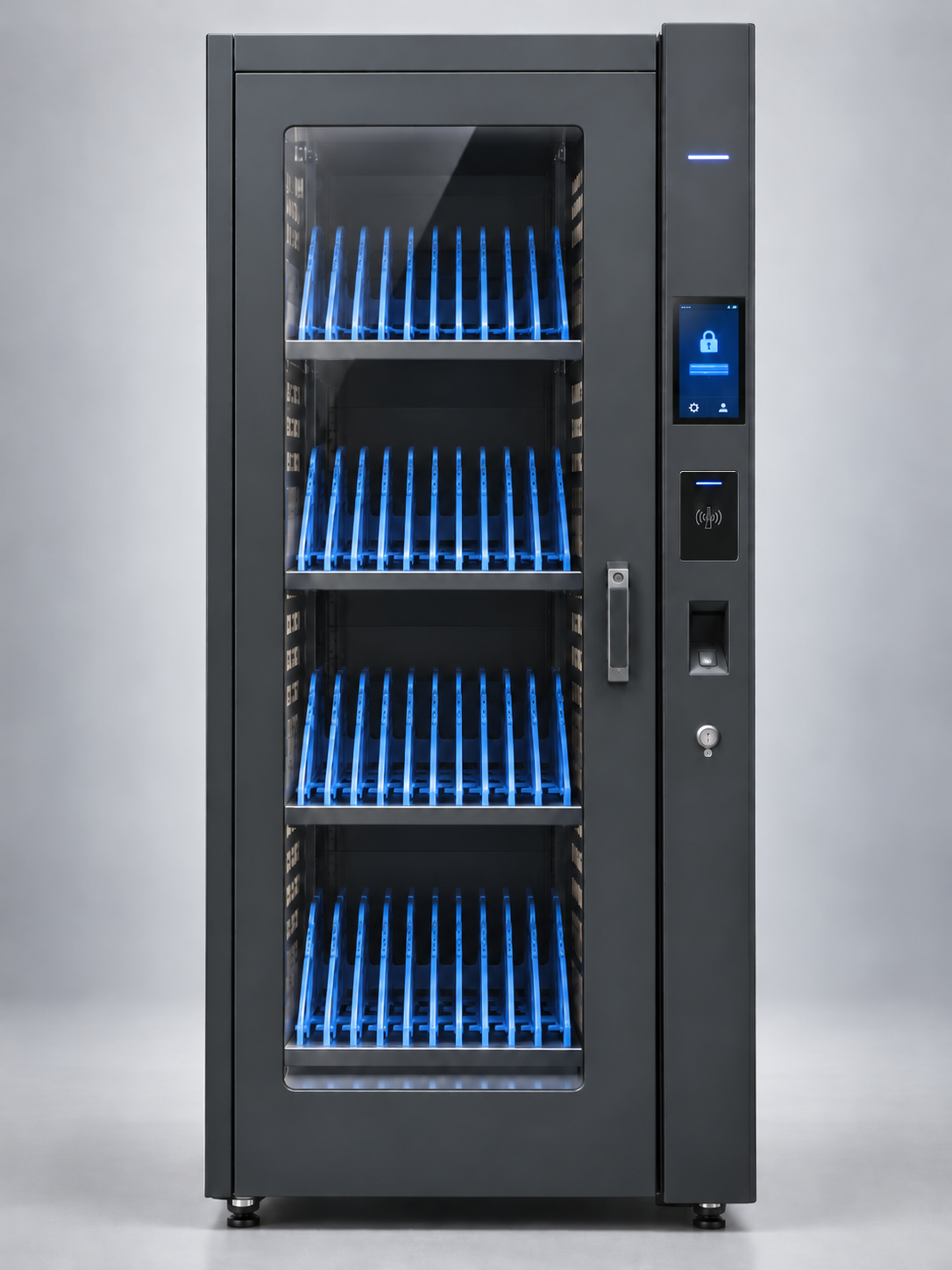
Vertical slots can be useful when many similarly sized laptops need clear separation. Check the bay width, support surfaces, stability and safe removal path. A vertical laptop rack for home use may be compact; a school or office requires additional attention to locking, device accountability, mobility and cable management.
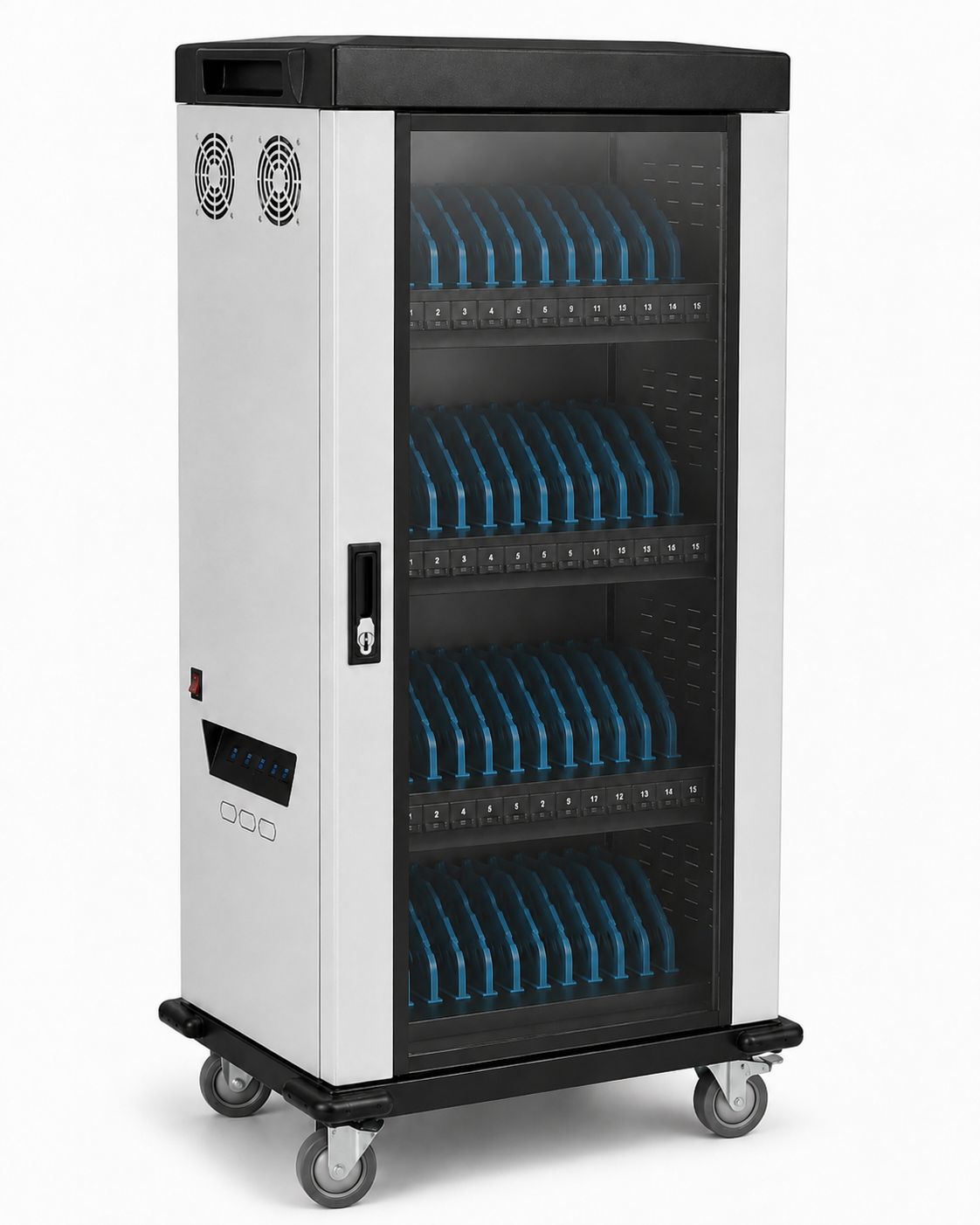
Featured product: RIFE STL Series mobile laptop storage cabinet
The RIFE STL Series Mobile Laptop, iPad & Tablet Storage Cabinet is the featured commercial model for buyers moving from simple shelf storage to a dedicated multi-device cabinet. Review the live product page for the current configuration. Storage orientation, device count, charging provisions and other optional features should be verified for the exact selected STL model rather than assumed from a generic illustration.
View STL Series modelBuying checklist for offices, schools and home users
- Record exact number of laptops plus growth allowance.
- Measure actual width, depth and thickness of the largest device.
- Select horizontal shelves or vertical bays based on access and safe support.
- Confirm individual dividers and the locking mechanism.
- Confirm whether charging is included, optional or not required.
- Check ventilation, electrical safety and cable routing.
- Specify fixed storage versus a mobile rack with lockable wheels.
- Check floor footprint, door clearance, installation and warranty.
- Request a model-specific quotation rather than assuming standard specifications.
Frequently asked questions
Is horizontal or vertical storage better for multiple laptops?
Neither is universally better. Horizontal shelves can be practical for mixed device sizes; vertical divided slots help organise many devices individually. Correct device fit and supported storage matter most.
Can I use a multiple-laptop rack at home?
Yes. A compact rack may work at home provided it supports each laptop securely, avoids overheating and leaves suitable space for cables.
Does the STL laptop storage cabinet include charging?
Check the exact STL configuration and quotation. Do not assume every storage cabinet includes charging or network ports.
What is the difference between a laptop rack and a lockable cabinet?
An open rack mainly organises devices. A lockable cabinet additionally restricts physical access and can be more appropriate for shared institutional devices.
Choosing storage for multiple laptops?
Share your laptop count, device dimensions, preferred orientation and charging requirements with RIFE to identify an appropriate STL or other secure storage model.
Explore RIFE STL Request a quote