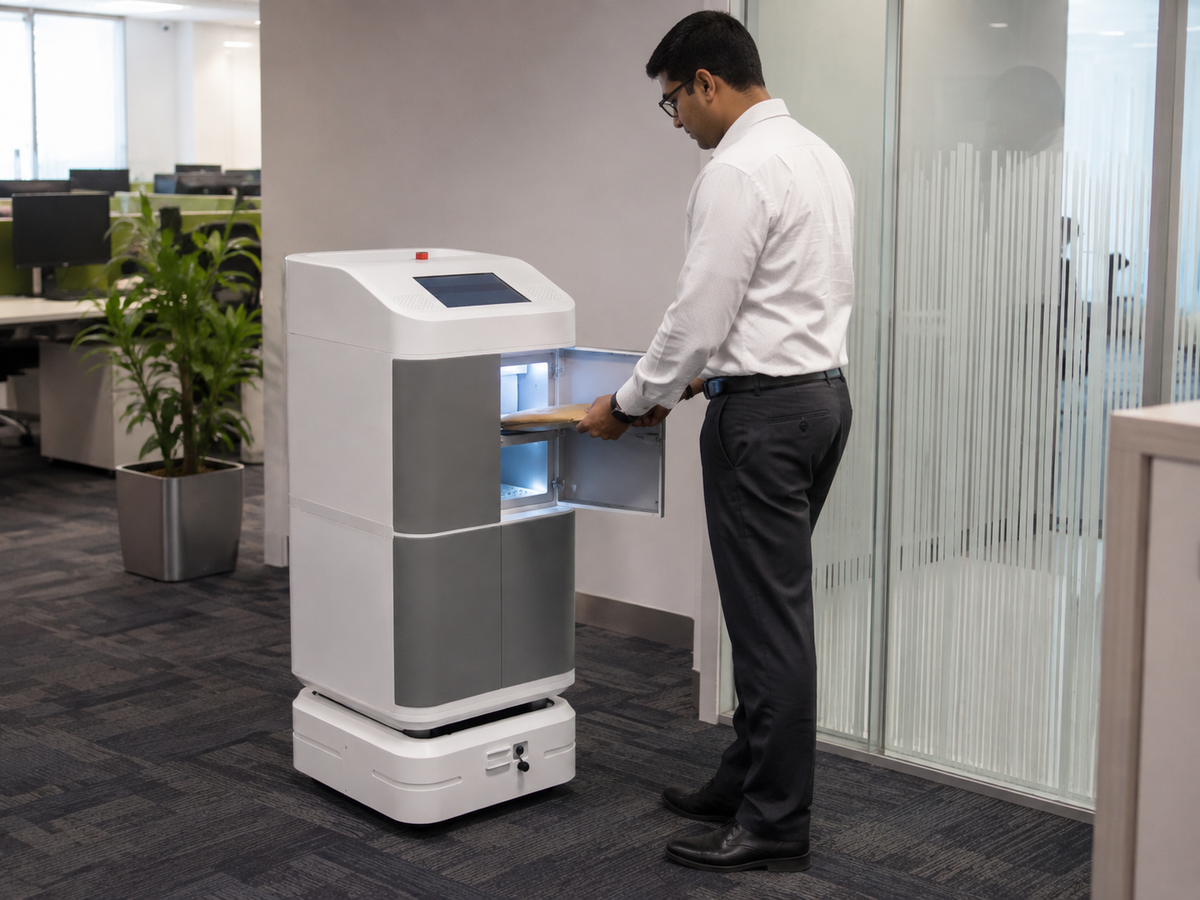
Smart Equipment Lockers for Offices: How Issue and Return Tracking Works
Smart Equipment Lockers for Offices: How Issue and Return Tracking Works
Shared equipment in offices — laptops, tablets, cameras, power tools, test instruments, radios and other high-value assets — creates a persistent management challenge. Who has the device right now? When was it last returned? Is it charged and ready for the next user? Which employee is responsible if it goes missing?
Traditional sign-out registers and manual key-handover systems fail at scale. They rely on staff discipline, create bottlenecks at reception desks and leave no reliable audit trail. Smart equipment lockers solve all of these problems by automating the entire issue and return process — with full digital records, real-time visibility and accountability built in.
What Is a Smart Equipment Locker?
A smart equipment locker is a secure, electronically controlled storage unit where each compartment can be locked and unlocked independently using digital authentication. Unlike a conventional key locker, access is granted through an employee ID card, PIN, fingerprint, face recognition or a mobile app — and every transaction is logged automatically with a timestamp and user identity.
RIFE India supplies smart locker systems for offices, warehouses, hospitals and educational institutions. Our range includes the RIFE Smart Tool and Equipment Locker for Warehouses, the RIFE Configurable Smart Locker System for Assets and Charging, and the RIFE Smart Charging Locker for Laptops, Tablets and Phones.
How the Issue Process Works
The issue workflow in a smart equipment locker system is designed to be fast, self-service and fully audited:
- Employee authentication: The employee presents their ID card, enters a PIN, scans their fingerprint or uses face recognition at the locker's control panel. The system verifies their identity against the user database.
- Authorisation check: The system confirms that the employee is authorised to access the specific equipment category. A field technician may be authorised to issue a test instrument but not a camera, for example.
- Compartment assignment: The system identifies an available compartment containing the requested equipment type and releases the electronic lock. The compartment door opens or an indicator light shows which door to open.
- Issue record created: The system logs the employee ID, the asset ID (via barcode or RFID tag inside the compartment), the date, time and expected return time. This record is immediately visible to the facilities or IT manager on the management dashboard.
- Door closed and locked: Once the employee removes the equipment and closes the door, the compartment is marked as issued in the system.
How the Return Process Works
- Employee authentication: The returning employee authenticates at the locker panel.
- Compartment assignment: The system assigns an available empty compartment and releases the lock.
- Asset verification: If the locker is equipped with RFID readers or barcode scanners inside each compartment, the system verifies that the correct asset has been returned — not a substitute or a different device.
- Return record created: The system logs the return with timestamp and employee ID. The asset is marked as available for the next user.
- Charging initiated: If the compartment has a charging socket or USB-C port, charging begins automatically when the door is closed.
Overdue Alerts and Accountability
One of the most valuable features of a smart locker system is automated overdue management. When an asset is not returned by its expected return time, the system can:
- Send an automated email or SMS alert to the employee who issued the equipment.
- Notify the line manager or facilities team.
- Escalate to HR or security if the asset remains unreturned beyond a defined threshold.
- Generate an overdue report for weekly or monthly review.
This eliminates the need for manual chasing and creates a clear accountability trail. If an asset is damaged or missing, the issue and return log identifies exactly who had the equipment and when.
Audit Trail and Reporting
Every transaction — issue, return, failed authentication attempt, door forced open, power interruption — is recorded in the system log. Managers can access:
- Asset utilisation reports: Which equipment is used most frequently, which sits idle, and whether the locker capacity matches actual demand.
- Employee usage reports: Which employees issue equipment most frequently and whether return compliance is consistent.
- Availability reports: Real-time view of which compartments are occupied, available or overdue.
- Exception reports: Forced door openings, failed authentication attempts and system alerts.
These reports are accessible via a web-based management dashboard, which can be viewed from any browser without installing software on a local PC.
Authentication Methods
RIFE smart lockers support multiple authentication methods, which can be combined for two-factor security in high-security environments:
- RFID / NFC card: Uses the employee's existing access card or ID badge. No additional credential required.
- PIN code: Four to eight digit PIN entered on a keypad. Simple and reliable.
- Fingerprint: Biometric authentication. Fast and eliminates the risk of card sharing.
- Face recognition: Contactless biometric. Suitable for environments where gloves are worn or hygiene is a concern.
- Mobile app / QR code: Employee scans a QR code from their smartphone. Useful for remote or temporary staff who do not have a physical access card.
Integration with Asset Management Systems
Smart lockers can be integrated with existing IT asset management (ITAM) systems, ERP platforms and HR databases via API. This means that when a new employee joins, their access rights are provisioned automatically from the HR system. When an employee leaves, their access is revoked immediately. Asset records in the ITAM system are updated in real time as equipment is issued and returned.
Typical Office Applications
- IT equipment pools: Shared laptops, tablets and phones for hot-desking employees, contractors and visitors.
- AV equipment: Cameras, microphones, presentation clickers and HDMI adapters for meeting rooms.
- Field service tools: Test instruments, handheld scanners and radios for field technicians.
- Security equipment: Body cameras, access cards and keys for security personnel.
- Personal storage: Secure overnight storage for employee laptops and valuables in open-plan offices.
RIFE Smart Locker Solutions for Offices
Browse our full range of smart locker solutions:
- RIFE Configurable Smart Locker System for Assets and Charging — modular, scalable locker system with charging integration for laptops and tablets
- RIFE Smart Tool and Equipment Locker — robust steel construction for tools and equipment in warehouses and workshops
- RIFE Smart Charging Locker for Laptops, Tablets and Phones — combined secure storage and charging for shared device programmes
- RIFE 4-Compartment Power Tool Charging Locker — compact locker for power tool storage and charging in workshops
Explore our complete Asset and Tool Lockers collection or contact RIFE India to discuss your specific office equipment management requirements.
Frequently Asked Questions
Can a smart locker system work without an internet connection?
Yes. RIFE smart lockers store transaction data locally and sync to the cloud management dashboard when connectivity is restored. Core functions — authentication, locking and unlocking — operate offline using locally cached credentials.
How many compartments can one smart locker system manage?
RIFE systems are modular and scalable. A single controller can manage multiple locker units, supporting from 4 to 200+ compartments depending on the configuration. Multiple locker banks can be linked and managed from a single dashboard.
What happens if the power goes out?
RIFE smart lockers include a battery backup that maintains electronic lock function during a power outage. A mechanical override key is also provided for emergency access by authorised personnel.
Can we restrict which employees can access which compartments?
Yes. Access rights are configured per user or per user group. An employee can be granted access to specific compartments, specific equipment categories or all compartments, depending on their role.
Is the system compatible with our existing employee ID cards?
RIFE smart lockers support standard RFID frequencies (125 kHz EM4100 and 13.56 MHz MIFARE). If your existing access cards use one of these standards, they can be enrolled in the locker system without issuing new cards.