
Hospital Patient Check-In & Wayfinding Kiosks: Buying Guide
Plan outpatient registration, queue guidance, appointment scanning, multilingual assistance and hospital navigation around real patient and staff workflows.
Start with the patient journey
A kiosk can reduce repetitive reception tasks when it is connected to a well-designed workflow. It may confirm appointments, guide patients to the correct desk or department, issue a token and offer accessible multilingual help—but safe fallbacks and staff assistance remain essential.
Appointment QR, approved ID method or manual lookup.
Verify visit details through an authorised integration.
Show token, counter, floor, map or QR directions.
Route exceptions and vulnerable users to staff.
Relevant RIFE kiosk products
These verified products provide the closest hardware and interaction platforms. Screen, scanner, printer, payment and software options should be specified for the hospital project.
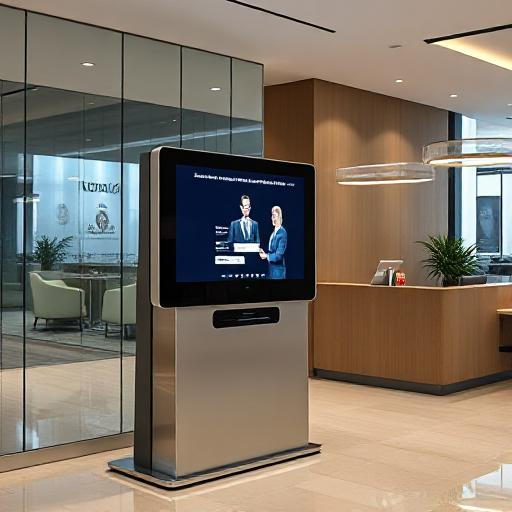
AI-Powered Self-Service Kiosks
Configurable pedestal, wall-mounted, desktop and keyboard-enabled formats for wayfinding, FAQs, forms and other self-service tasks.
View Self-Service Kiosks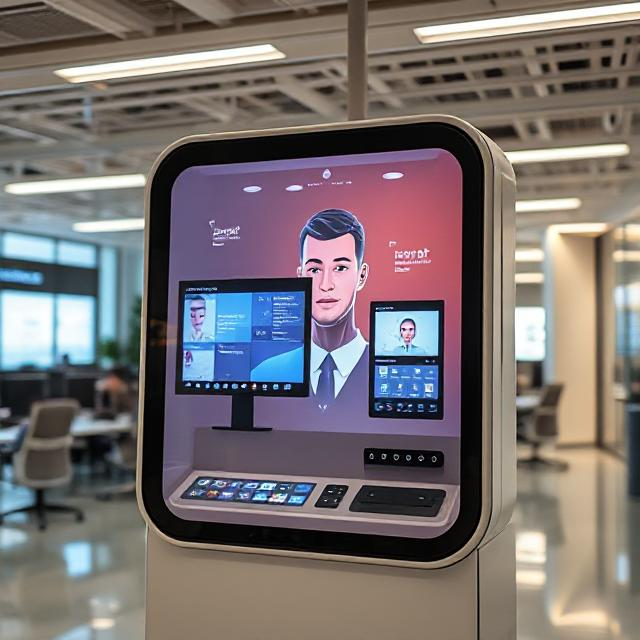
AI-Powered Interactive Avatar Kiosk
Consider an avatar-led kiosk when multilingual guidance, conversational FAQs, appointment assistance and wayfinding are key experience requirements.
View Interactive Avatar KioskAadhaar and hospital-data access need formal approval
Do not assume an Aadhaar scan or direct HIS database query is appropriate or available. Define the minimum data needed, permitted identity method, consent or notice, retention, encryption, audit trail and failure process with the hospital’s privacy, security and legal teams. Prefer documented interfaces and tokenised workflows over unrestricted database access.
What to specify
Patient tasks
Check-in, appointment lookup, token issue, payment, feedback, wayfinding or FAQs.
Hardware
Touch display, accessibility controls, QR/barcode scanner, printer, camera and payment device.
Integration
HIS/EHR, scheduling, queue, billing and maps through documented, authenticated interfaces.
Accessibility
Reach range, text size, contrast, audio, language, wheelchair access and assisted mode.
Privacy & security
Screen privacy, session timeout, data minimisation, encryption, logs and remote management.
Operations
Paper replacement, cleaning, uptime, alerts, content updates and staff escalation.
Choose the right kiosk role
| Role | Typical functions | Important dependency |
|---|---|---|
| Check-in and queue kiosk | Appointment confirmation, token issue and counter direction | Scheduling/queue integration and exception handling |
| Wayfinding kiosk | Searchable directory, floor maps and QR directions | Accurate map content and an update owner |
| AI-assisted reception kiosk | Multilingual FAQs and conversational guidance | Approved knowledge, guardrails and staff handoff |
| Payment-enabled kiosk | Bill lookup and approved payment flow | Payment security, reconciliation and receipt process |
Pilot acceptance checklist
- Map the full journey, including missing appointments, unreadable codes and emergency cases.
- Confirm every integration endpoint, authentication method, field and system owner.
- Test with older adults, wheelchair users, multiple languages and first-time visitors.
- Measure successful completion, time-to-complete, abandonment and staff interventions.
- Verify token printing, paper alerts, scanner performance and network-loss behaviour.
- Review privacy notices, session clearing, logs, remote access and incident response.
- Approve screen and enclosure cleaning against the hospital’s disinfectants.
Related AI kiosk guides & applications
Full 10-step guide to choosing the right AI kiosk for any deployment.
Read the Guide →Visitor directions, department lookup and information kiosks for offices, campuses and public venues.
View Page →Visitor check-in, front-desk automation and multilingual reception for corporate offices.
View Page →Frequently asked questions
How do kiosks connect to HIS for tokens and wayfinding?
A project may use documented, authenticated APIs or an approved integration layer to exchange only the required appointment, queue or directory data. The exact interface depends on the hospital systems and must be jointly tested.
Can patients scan appointment QR codes?
Yes, when a compatible scanner and software workflow are configured. Define supported code formats, fallback lookup and what appears on screen or printouts.
Should the kiosk scan Aadhaar?
Only when the use is legally permitted, necessary and approved by the hospital. Consider less data-intensive alternatives and define consent, security, retention and fallback processes.
Can one kiosk handle check-in and wayfinding?
Yes, but the interface should keep the main tasks simple. High-volume sites may benefit from separating transactional check-in from general information and maps.
Will a kiosk automatically reduce waiting time?
Not automatically. Benefits depend on integration, placement, task design, adoption and exception handling. A measured pilot should establish the result.
Design a hospital self-service pilot
Share patient volumes, required workflows, HIS and queue systems, languages, peripherals, accessibility needs and information-security requirements with RIFE.
Request a Kiosk Quote