Smart Tool Management System for Manufacturing | RIFE India
Smart Tool Management in Manufacturing: From Manual Registers to Controlled Issue and Return
Manufacturing plants depend on tools, test instruments and maintenance equipment being available at the right place and time.
However, many factories still manage tools through handwritten registers, spreadsheets, open cupboards or manually staffed tool rooms. These methods may record that a tool was issued, but they rarely provide a reliable real-time answer to important questions:
- Which tools are currently available?
- Who has taken a particular tool?
- When should it be returned?
- Is the tool safe and fit for use?
- Is its calibration still valid?
- Has it been reported damaged?
- Which department is responsible for the tool?
- How much time is being lost while employees search for equipment?
A smart tool-management system replaces disconnected manual processes with controlled access, digital issue-and-return records and a central management dashboard.
What is a smart tool-management system?
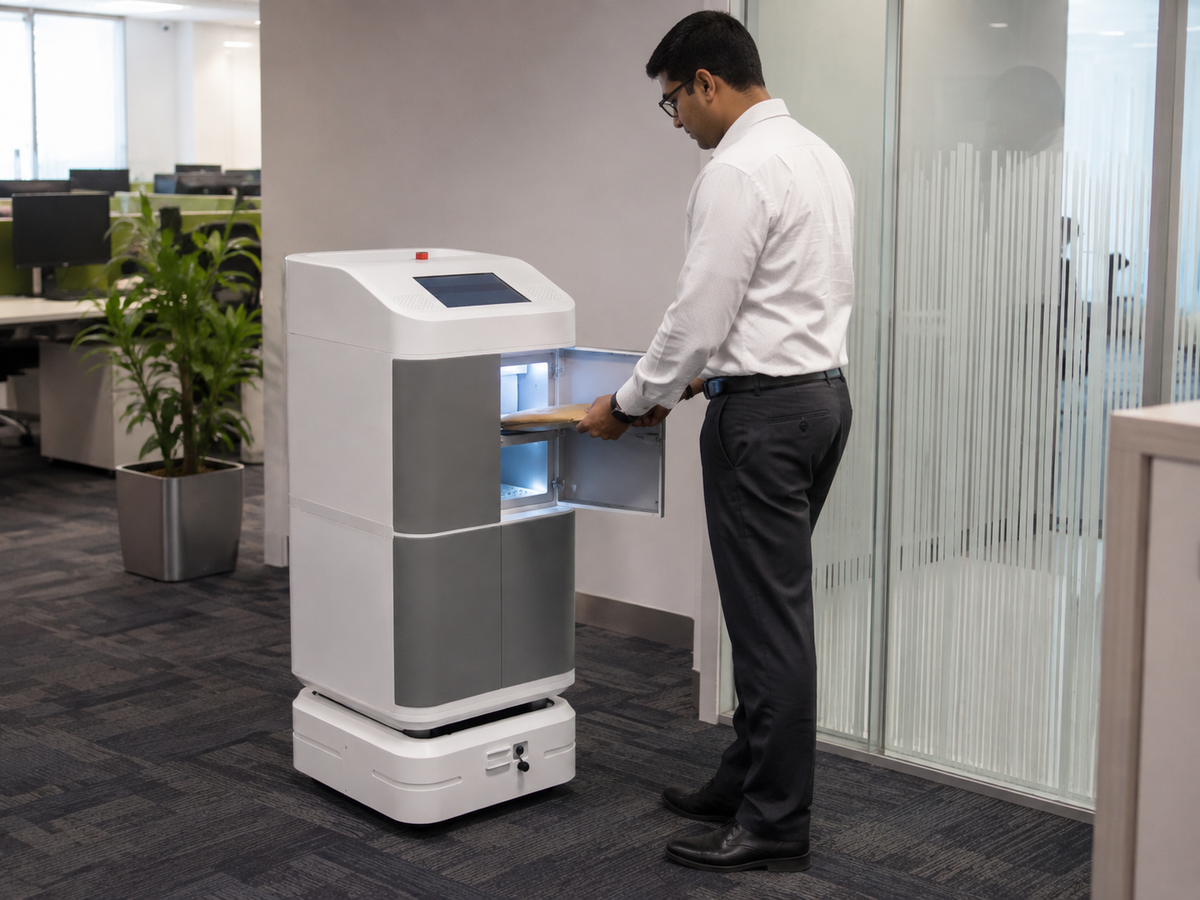
A smart tool-management system combines secure physical storage with software that controls how tools are issued, used, returned, maintained and audited.
The physical system may include:
- Electronically controlled lockers
- Tool cabinets
- Compartments of different sizes
- Employee authentication
- Barcode or QR-code scanners
- RFID identification
- Touchscreen interface
- Central management software
The objective is not only to lock tools inside a cabinet. It is to ensure that authorised employees can obtain the correct tool when required while maintaining accountability throughout the complete transaction.
Problems with manual tool-room management
Time wasted locating tools
Employees may visit several cupboards, departments or workstations before finding the required tool.
Even a few minutes of searching at the beginning of every shift can create substantial combined downtime across a large workforce.
No clear accountability
A handwritten signature may not clearly identify:
- The employee
- The exact tool
- The quantity issued
- The reason for issue
- The machine or work order
- The expected return time
When an item is missing, it can be difficult to determine responsibility.
Tools returned in poor condition
A tool may be physically returned but damaged, incomplete or no longer fit for use.
Without a condition-reporting process, the same tool may be issued to another employee.
Calibration and maintenance risks
Torque wrenches, measuring instruments, multimeters and other controlled equipment may require periodic calibration or servicing.
A manual register may show that the tool is available even when its calibration has expired.
Excess tool purchasing
When management cannot see where tools are located or how frequently they are used, departments may purchase additional equipment unnecessarily.
How a smart tool locker works
1. The employee authenticates
The user identifies themselves using an approved access method.
Options may include:
- Employee RFID card
- PIN
- QR code
- Barcode credential
- Fingerprint
- facial recognition
2. The employee selects a tool
The employee chooses the required tool through the application or scans its barcode, QR code or RFID tag, depending on the selected system.
3. The system checks permission
Access can be controlled according to:
- Employee
- Department
- Role
- Shift
- Tool category
- Training status
- Certification
- Calibration status
4. The locker opens
Only the authorised compartment or cabinet is released.
5. The issue transaction is recorded
The system may record:
- Employee name
- Tool
- Quantity
- Issue date and time
- Expected return
- Department
- Work-order number
- Machine or asset number
- Purpose of issue
- Supervisor approval
6. The tool is returned
During return, the user confirms the tool quantity and condition.
The system can ask whether the tool is:
- Working correctly
- Damaged
- Incomplete
- Requiring calibration
- Requiring maintenance
- Ready for reissue
7. The dashboard updates
The tool status changes automatically to an appropriate category, such as:
- Available
- Issued
- Overdue
- Under inspection
- Faulty
- Under repair
- Under calibration
- Missing
- Retired
Application-based, barcode or RFID tracking
Not every factory requires the same level of automation.
Application-based tracking
The employee selects the tool and quantity using the locker application.
This is suitable for:
- Small and medium tool rooms
- Lower-value tools
- Controlled factory environments
- Projects requiring a lower implementation cost
Barcode or QR tracking
Each tool carries a barcode or QR-code label that is scanned during issue and return.
This provides stronger identification without the cost and complexity of RFID.
RFID tool tracking
Compatible RFID tags allow the system to identify individual tools automatically.
This is suitable for:
- High-value tools
- Large tool fleets
- Rapid issue-and-return operations
- Environments requiring item-level automation
Because tools and cabinets often contain metal, RFID performance must be tested using the actual equipment and cabinet design.
Tool-kit management
Factories often issue complete toolkits rather than individual tools.
A smart tool-management system can create a predefined toolkit containing, for example:
- Torque wrench
- Spanner set
- Screwdriver set
- Multimeter
- Measuring instrument
- Protective case
The complete toolkit can be issued as one transaction.
During return, the application can display a checklist so every component is verified. If one item is missing, the toolkit remains incomplete and the responsible employee can be identified.
Management dashboard
A useful tool-management dashboard should show:
- Total tools
- Tools available
- Tools currently issued
- Overdue tools
- Missing tools
- Faulty tools
- Tools under repair
- Calibration due
- Service due
- Most frequently used tools
- Rarely used tools
- Department-wise tool usage
- Employees with overdue items
- Replacement value of missing tools
Benefits for manufacturing plants
A properly implemented system can help organisations:
- Reduce tool-searching time
- Improve shift-start productivity
- Maintain employee accountability
- Prevent unauthorised tool access
- Identify overdue tools
- Block faulty or expired tools from reissue
- Reduce manual register work
- Improve tool utilisation
- Reduce unnecessary purchases
- Maintain a complete digital audit history
Selecting the right system
Before selecting a tool locker, define:
- Number of tools
- Tool dimensions
- Tool value
- Number of users
- Number of shifts
- Existing tool-room process
- Identification method
- Calibration requirements
- Maintenance requirements
- Required reports
- CMMS or ERP integration
- Number and size of locker compartments
Conclusion
Smart tool management is not simply about installing an electronic locker.
The real value comes from combining secure storage, authorised access, controlled issue and return, condition reporting, maintenance records and management reporting in one system.
RIFE Smart Tool Management Solutions can be configured using application-based, barcode, QR-code or RFID identification according to the required level of control.
Replace manual tool registers with controlled digital management
Share your tool list, employee workflow, compartment requirements and tracking preferences with RIFE Technologies.